MyVocalStudio

Know how the studio is doing.

See revenue, retention, attendance and capacity, and profit after expenses and teacher pay. Log expenses and mileage, and export everything at tax time.

Start freeFree to start. No card needed.
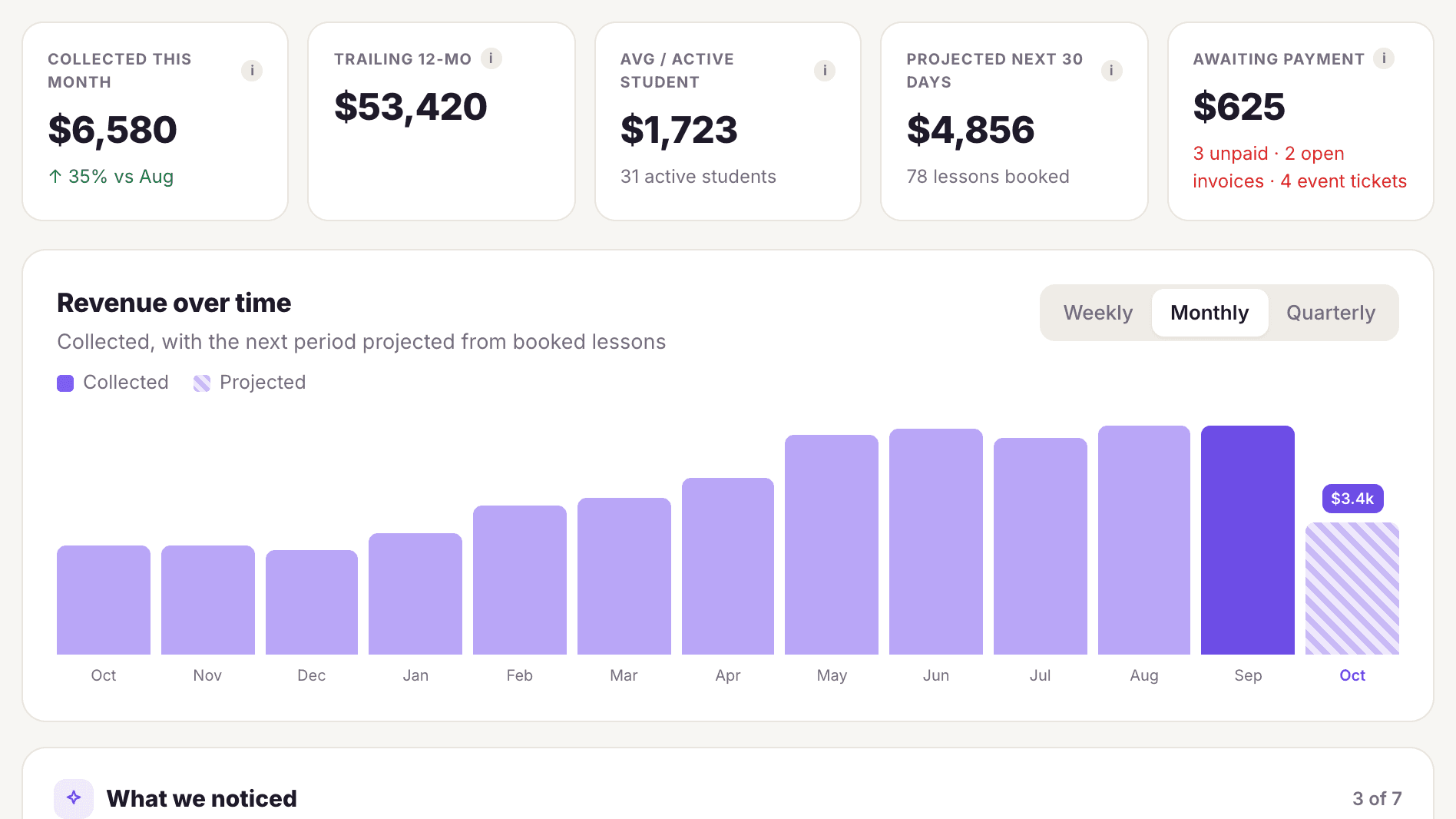
The MyVocalStudio reports screen: collected revenue, averages, what is owed and twelve months of revenue

What's included

Revenue
Collected, trailing 12 months, projected next 30 days, and money still due.
Retention
Retention by the month students started, where students come from, and who is at risk of leaving.
Attendance
No-show and reschedule rates, and the students who miss most.
Capacity
How full each hour is and where the open time is.
Profit & loss
Revenue against expenses and teacher pay.
Expenses and mileage
Log expenses with tax-deductible flags, and log mileage at the per-mile rate you set.
Tax-time exports
Student list, lesson history, expense log and income as spreadsheets.
A dashboard you arrange
Move, hide and add cards on Home and in Reports.
Needs attention
Unpaid lessons, low packages, booking and reschedule requests, failed charges and incomplete intake, each with a one-tap action.

Common questions

Can I see profit, not just revenue?

Yes. The profit & loss view counts expenses and teacher pay.

Does it help at tax time?

Yes. Export the student list, lesson history, expenses and income as spreadsheets, and log mileage at the per-mile rate you set.

Can I see which students are slipping?

Yes. Reports show retention by start month, students at risk of leaving, and who misses most.

Start free. Never pay more than $39.

Your first teacher is always free. Solo is $10 a month, each extra teacher is $6, and the bill never goes above $39. You never pay per student.

Start free →