MyVocalStudio

An assistant that does the busywork when you ask.

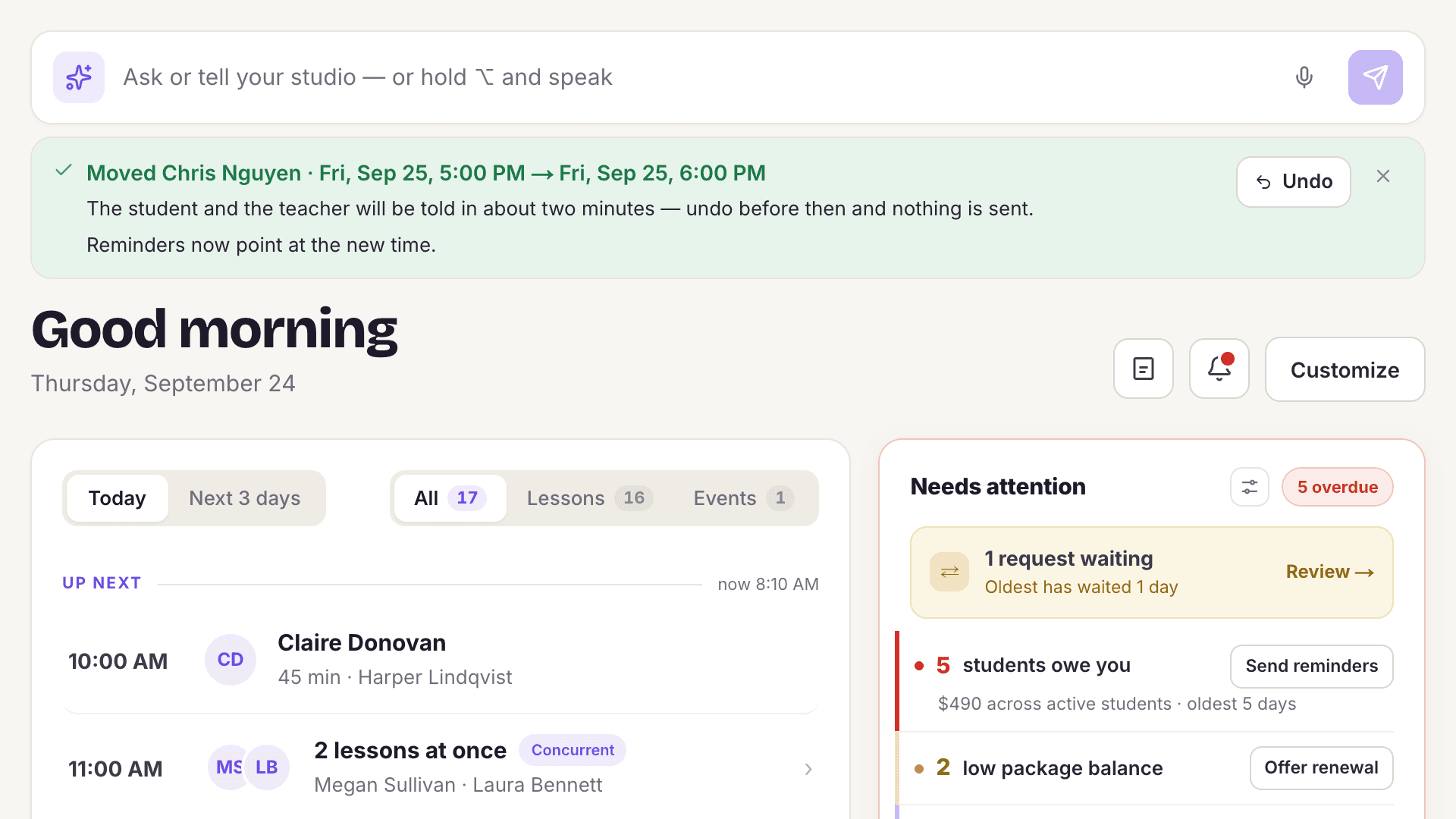
Tell MyVocalStudio what you need in plain English, typed or spoken, and it moves lessons, blocks time or enrolls a student in a class. Cancellations, new lessons, bigger moves and anything sent to a student show you a summary first, and every change is recorded like one made by hand.
Start freeFree to start. No card needed.
The MyVocalStudio assistant after moving a lesson to 6:00 PM, with an Undo button above the day’s lessons

What's included

Ask or tell your studioPaid plans
Type or say "Move Sally's lesson to Friday at 3" on the web or in the iPhone and Android app, and it's done, with an Undo. Bigger changes (canceling, adding lessons, moving several, blocking time) show a summary and wait for your yes.
Everyday lesson jobsPaid plans
Mark a lesson taught or a no-show, record a cash or Venmo payment, send a payment link, message a student or invite them to the portal, by asking.
Classes and waitlistsPaid plans
Enroll a student in a class, put them on its waitlist or take them out of one session, just by asking.
Safe by design
It never charges a card or deletes a student, and anything that reaches a student (a message, a payment link, a portal invite) shows you the exact words and waits for your yes. Every change is recorded like one made by hand, and when a teacher uses it, it only touches their own lessons and students.
Ask your reports
Ask a question about your numbers in plain English.
Receipt scanning
Photograph a receipt; the merchant, amount, date and category are filled in for you.
Smart import
Upload a messy spreadsheet from your old software; the columns are matched for you.
Tag suggestions
Finds programs and events mentioned in lesson notes and suggests a tag with the students already in it.
Parent progress summary
A plain-language summary of a student's practice and progress in the parent's portal.
Help in the app
Ask a how-do-I question and get an answer from the MyVocalStudio guide, with the steps for the screen you're on.

Common questions

What can the AI assistant do?

Move, add or cancel lessons, block time, mark lessons taught, record payments, message students and enroll them in classes when you type or say it; answer questions about your reports; read receipts; and match the columns of an imported spreadsheet.

Can it make a mistake with my money?

It never charges a card or deletes a student. It can add a one-time charge or set a lesson's price when you ask, and it asks before recording a payment, sending a payment link, or issuing or voiding an invoice.

Can I undo what it did?

Yes. Moving a lesson comes with an Undo, and every change is recorded with how to reverse it.

Start free. Never pay more than $39.

Your first teacher is always free. Solo is $10 a month, each extra teacher is $6, and the bill never goes above $39. You never pay per student.

Start free →